


 Our Work


Real Estate
How to Build a Real Estate BI Dashboard Your Team Will Actually Use
By Mayank Pokharna (Coliving Expert)
• 9 min read
Mar 19, 2026
Share


Key Takeaways
- A business intelligence dashboard provides a real-time, always-current view of portfolio performance without manual report assembly.
- The metrics on a dashboard should be chosen based on the decisions they enable, not based on what data is available.
- Role-based dashboards ensure each user sees what is relevant to their responsibilities without information overload.
- Data source integration quality determines dashboard reliability: a dashboard is only as trustworthy as its inputs.
- Visualisation choices should make patterns and outliers immediately visible, not demonstrate technical sophistication.
- A dashboard is a living tool that needs regular review and evolution as business priorities change.
The most common outcome of a business intelligence project in a property business is a dashboard that is impressive on launch day and underused three months later. The metrics were chosen because they were available, not because they were useful. The layout was designed by someone who understood the data, not someone who needed to act on it. And nobody reviewed it after go-live to check whether it was delivering what the business needed. Building a BI dashboard that becomes a genuine operational tool requires deliberate decisions at each stage. This guide covers those decisions.
What a BI Dashboard Does That Reports Cannot
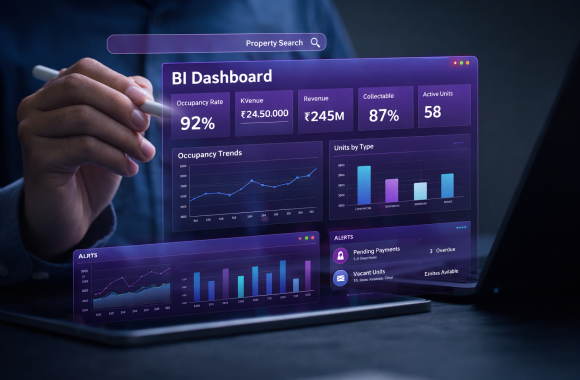
A standard management report is produced at a point in time, distributed by email, and replaced by the next report the following month. By the time the recipient reads it, the data is historical. By the time a decision is made, the situation may have changed. A BI dashboard connects to live data sources and reflects the current state of the business at the moment it is opened. There is no production cycle, no distribution delay, and no manual assembly step. The finance director who wants to know today’s arrears position opens the dashboard. The portfolio manager who wants to check occupancy across their buildings opens the dashboard. The decision is made on current information, not last month’s snapshot. The other significant difference is interactivity. A static report presents one view of the data. A dashboard allows the user to filter, drill down, and explore. A summary metric that raises a question can be investigated within the same tool by drilling into the underlying detail.
Choosing the Right Metrics for Your Dashboard
The most common dashboard design mistake is including metrics because they are available rather than because they drive decisions. The correct starting point is not “what data do we have?” but “what decisions does this user need to make, and what information would make those decisions faster and better?” For a property operations team, the decisions are operational: where to direct maintenance resource, which tenants need a follow-up call, which lease renewals are coming due, which properties have compliance actions outstanding. The metrics should answer those questions directly. For a finance team, the decisions are financial: where is cash tight, which cost categories are overspending, what is the arrears exposure, and how is net operating income tracking. The metrics should answer those questions. For leadership, the decisions are strategic: how is the portfolio performing overall, where are the underperforming assets, what does the risk profile look like. The metrics should provide a high-level view with the ability to drill deeper when something requires attention. Once the decisions are defined, the metrics that support them follow naturally. Everything that does not support a specific decision is a candidate for removal.
Structuring Your Dashboard for Different Users
A single dashboard view that attempts to serve the whole organisation is a compromise that serves nobody well. The information a CEO needs to see on opening the dashboard is not the same as what a property manager needs. Role-based dashboard design builds a primary view for each user type, pulling from the same underlying data but presenting the subset relevant to each role. The executive view shows portfolio-level metrics: total occupancy, total rent collected versus invoiced, total arrears, net operating income versus budget, and portfolio value trend. It is a one-screen summary with the ability to drill into any metric for detail. The finance view shows the full financial picture: aged debtor summary, budget versus actual by cost category, cash position and expected receipts, service charge reconciliation status, and entity-level accounts. The operations view shows the maintenance and compliance picture: open work orders by age and property, compliance certificate expiry schedule, contractor performance metrics, and inspection completion rates. The leasing view shows pipeline and retention data: available units and days on market, leads by source and conversion rate, upcoming lease expiries, and renewal conversion by property manager. Each view is designed for the role that will use it, not for the analyst who built it.
Connecting Your Data Sources
A BI dashboard is only as good as the data that feeds it. This means the data connection layer is as important as the dashboard design layer. For most property businesses, the data sources that feed a BI dashboard include: the property management system for occupancy, tenancy, and maintenance data; the finance system for billing, payments, and cost data; the CRM for lead, pipeline, and conversion data; and potentially external sources such as market rent indices or comparable transaction data for valuation context. Connecting these sources to a central analytics environment, whether a data warehouse, a BI platform with direct connectors, or an integrated property platform with built-in reporting, requires a data integration design that maps the fields from each source to a common schema. The most common problems at this stage are: field naming inconsistencies between systems (the same property identified by different codes in different systems), date and time format differences that cause alignment errors in trend reports, and missing records where data was not entered consistently in one system. Resolving these issues before the dashboard is built, rather than discovering them when a dashboard metric produces a result that does not match what the team expects, avoids the trust problem that undermines dashboard adoption.
Visualisation Choices That Aid Decision-Making
Visualisation is the communication layer between the data and the decision-maker. A poorly chosen visualisation obscures the insight. A well-chosen one makes it immediately obvious. For arrears tracking, a heat map that colour-codes tenants by arrears severity (green for current, amber for 1 to 30 days, red for 30-plus days) allows the property manager to identify priority cases at a glance without reading a table. For occupancy trends, a line chart showing occupancy percentage over a 12-month rolling period makes seasonal patterns and trend direction visible in a way that a monthly table does not. For budget versus actual, a bar chart showing each cost category with actual and budget side by side, with variance highlighted, allows the finance team to identify overspending categories without scanning rows of numbers. For lease expiry profiles, a timeline showing leases expiring in the next 90 days by building and floor gives the leasing team an immediate view of upcoming void risk. The design principle is: choose the visualisation that makes the relevant pattern or outlier immediately visible to the person who needs to act on it. Not the one that looks most impressive.
Maintaining and Evolving Your Dashboard
A dashboard that is not maintained becomes unreliable and then unused. The metrics that were right for the business at launch may not be the right ones two years later. Maintenance includes: monitoring data quality in the underlying systems to ensure the dashboard continues to reflect accurate information, updating the dashboard when new data sources become available or existing ones change, and reviewing the metric selection periodically to confirm each metric is still driving the decisions it was designed for. Evolution means expanding the dashboard’s capability as the business’s analytical maturity grows. A business that starts with descriptive metrics, occupancy and arrears summaries, can progressively add diagnostic and predictive layers: renewal likelihood scores, maintenance cost forecasts, and yield optimisation recommendations. The dashboard should be on the agenda of a quarterly business review, with time allocated to assess whether it is delivering the insight it was designed to provide and what should be added, changed, or removed. Our Data Management and Business Intelligence Software page covers how we design and build BI dashboards for property businesses at different stages of analytical maturity.
Conclusion
A BI dashboard that gets used is not the result of better technology. It is the result of better decisions made before the technology is built: the right metrics for the right users, connected to reliable data, with visualisations chosen to make action obvious rather than analysis impressive. The dashboards that fail are almost always the ones that were designed around what was available rather than what was needed, and that had no plan for maintenance or evolution after launch. The data drifts, the figures stop being trusted, and the team goes back to the spreadsheet that was there before. The dashboards that succeed are the ones where each user opens their view and immediately sees what they need to act on today. That outcome is achievable in any property business that has the underlying data and the willingness to design the dashboard around the people who will use it rather than the people who built it. Start with the decisions, not the data. Build for the user, not the analyst. Maintain it after launch. Those three principles are what separate a tool from a project.
FAQ
When in doubt always ask?
A real estate business intelligence dashboard is a live, interactive visual display of key portfolio and operational metrics connected to real-time data sources. It provides a current view of performance without the manual assembly step required for traditional management reports.
The metrics should be chosen based on the decisions each user needs to make. Common metrics include: occupancy and void rates, arrears by age and property, rent collected versus invoiced, maintenance completion rates, budget versus actual by cost category, and lease expiry profile.
Data source connection requires a mapping of fields from each source to a common schema in the analytics environment. Most BI platforms offer direct connectors to common property management and accounting systems. Where connectors do not exist, API integrations or scheduled data exports can be used to feed the central analytics environment.
The most common reasons are: metrics chosen for availability rather than decision relevance, a single layout that does not serve different users’ needs, data quality problems that make the figures untrustworthy, and no ongoing maintenance after launch. Adoption follows utility: a dashboard that helps users make better decisions gets used.
The underlying data should update continuously or at defined short intervals (hourly or daily depending on the data source). The dashboard design and metric selection should be reviewed quarterly to confirm they continue to reflect the business’s current priorities and operational needs.